Search Panel
The third sidebar tab controls how the phase space is explored.
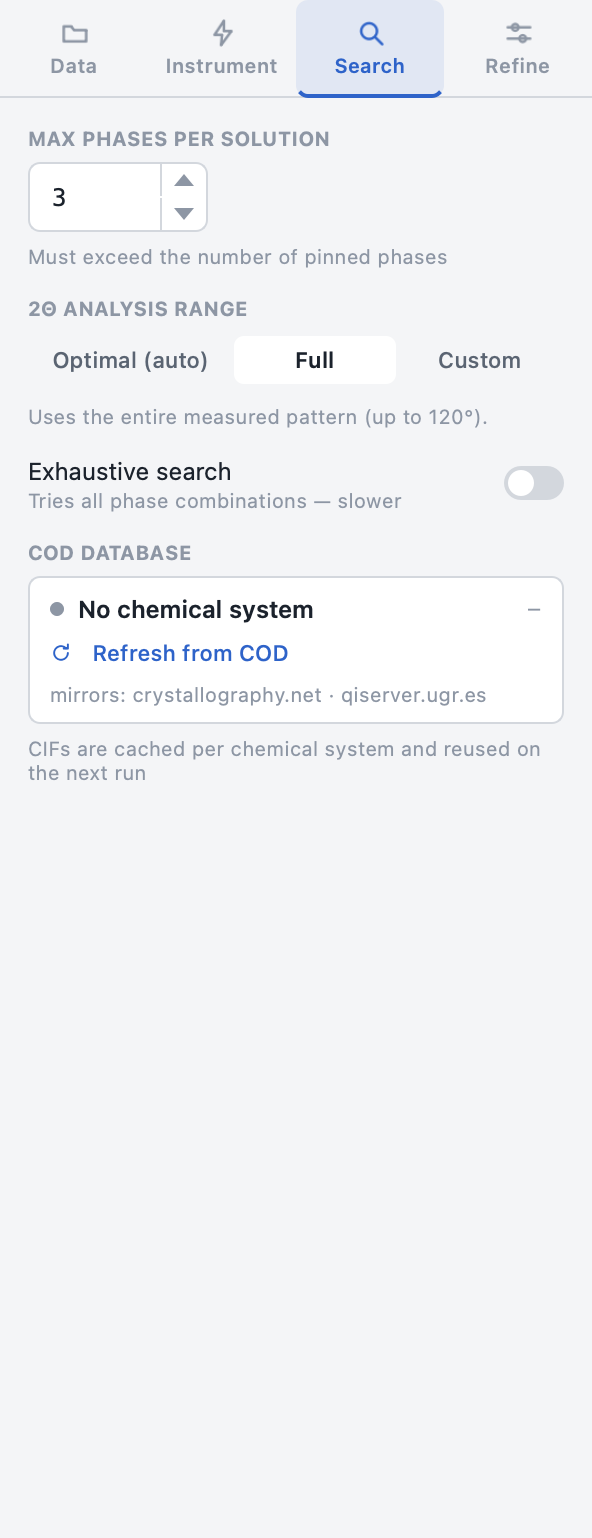
Max phases per solution
The largest number of phases a candidate solution may contain (1 – 10, default 5). Must exceed the number of pinned phases.
Higher values expand the combinatorial space and slow the search — keep this as low as your sample chemistry allows.
2θ analysis range
| Mode | Behaviour |
|---|---|
| Optimal (auto) | Auto-detects the most informative 2θ window — the fastest option (default) |
| Full | Uses the entire measured pattern (up to 120°) |
| Custom | Reveals min/max spin boxes (0 – 180°, 0.1° steps) — only that window is analysed |
Exhaustive search
A toggle that switches the search strategy:
- Off (default) — the guided search prunes unpromising branches; much faster and almost always sufficient.
- On — every phase combination is refined and ranked. Use when the guided search misses a phase you suspect is present, and expect a long runtime for big systems.
COD database card
A live status card for the per-system CIF cache:
- The dot + count show whether structures for the current chemical system are already cached locally.
- Refresh from COD clears the system's cache so the next run re-downloads fresh structures (same as Tools → Refresh COD cache).
- Downloads come from
crystallography.net, with automatic fallback to theqiserver.ugr.esmirror.
Tip
The first search of a new chemical system downloads its CIFs; every later search of that system starts instantly from the cache.